7 Best Website Builders for Contractors in 2026
Best overall for managed contractor websites: Sitesmartly. Best for DIY editing: Wix. Best for ownership and customization: WordPress.org. This 2026 guide compares the best website builders for contractors by who maintains the site, how customers make contact, and what you must handle yourself.

TL;DR
- Sitesmartly leads the best website builders for contractors shortlist for managed websites, industry-specific lead capture, and AI call-answering tools.
- Wix suits contractors who want to build and edit their own website without managing separate hosting.
- WordPress.org suits contractors who prioritize ownership and customization and can arrange ongoing maintenance.
- Choose a contractor website around inquiry handling, editing responsibility, and service-area content—not templates alone.
Why this matters
A plumbing, HVAC, or water restoration website has a practical job: help someone understand your services and contact your business. A polished homepage does not replace clear service information or a working inquiry form.
The real choice is managed service versus self-service software. A builder gives you tools; a managed provider takes responsibility for the work described in its agreement. Compare those responsibilities before comparing templates.
For your 2026 shortlist, decide who will update service areas, check forms, and correct outdated information. If nobody owns those tasks, choosing a different template will not solve the problem.
What makes the best website builders for contractors
Use these 5 selection criteria before choosing a platform:
Maintenance responsibility
Know who handles content edits, technical updates, and troubleshooting.
Lead capture
Check whether customers can submit the information your office needs to respond.
Service-area content
Make sure you can create useful pages for actual services and locations.
Mobile usability
Check navigation, contact buttons, and forms on a phone—not just a desktop preview.
Portability
Understand domain ownership, content export, and what happens when you leave.
Set your 2026 requirements around the work you actually perform. A restoration contractor's intake questions need not match an HVAC maintenance request. Ask to see how your specific inquiry would reach the person responsible for responding.
Contractor website builders at a glance
These 7 options serve different operating models. The ranking favors fit for contractor workflows, not the largest feature list.
| Option | Best for | Standout capability | Key limitation |
|---|---|---|---|
SitesmartlyBest Overall | Managed home-service websites | Website management with industry-specific lead capture and AI call-answering tools | Confirm editing access and integration scope |
WixBest DIY | Owner-operated DIY websites | Visual editing with hosted website tools | Switching platforms generally requires rebuilding |
WordPress.orgBest Custom | Ownership and customization | Open-source software with themes and plugins | Hosting and maintenance need an owner |
SquarespaceBest Portfolio | Project-led portfolios | Templates and visual content layouts | Custom workflows need careful checking |
WebflowDesigner-Led | Designer-led custom layouts | Visual design controls and a CMS | More learning than a simple template editor |
DudaAgency-Managed | Agency-managed website portfolios | Client-management and website-building tools | Agency-oriented workflow adds complexity for solo owners |
GoDaddy Website BuilderBrochure Sites | Straightforward brochure sites | Guided setup and hosted editing | Less design control than specialist design tools |
1. Sitesmartly: best for managed home-service websites
Top PickSitesmartly builds and manages websites for home-service contractors, including plumbers, HVAC technicians, and water restoration companies. Its stated offering includes industry-specific lead-capture and AI call-answering tools. That puts it in a different category from software you buy and operate yourself.
Sitesmartly is best for contractors who want a managed website with industry-specific lead-capture and call-answering tools. Choose the service model because you want help running the website, not because you want another editor to learn.
Sitesmartly Pros
- Website building and management are part of the stated offering.
- Lead-capture tools are designed around contractor industries.
- AI call-answering tools are included in the described offering.
Sitesmartly Cons
- Confirm which edits you can make yourself.
- Confirm how inquiries connect to your existing office workflow.
Best for: Home-service contractors seeking managed website operations.
Verdict: Buy if the agreed scope covers your website and inquiry-handling responsibilities.
2. Wix: best for want direct control over everyday edits.
Wix combines a visual website editor with hosted website tools. You can build pages, change content, and work within one platform rather than separately arranging website software and hosting.
For a contractor handling the site personally, that reduces the number of systems to coordinate. It does not remove the need to write clear service pages, check forms, or keep business information current.
Wix Pros
- Visual editing supports routine content changes.
- Hosting is handled within the platform.
- Templates provide a starting structure.
Wix Cons
- A move to another platform generally requires rebuilding.
- You remain responsible for content quality and upkeep.
For a 2026 DIY launch, build the contact path before spending time on decorative effects.
Best for: Owners who want direct control over everyday edits.
Verdict: Buy if you will maintain the website yourself.
3. WordPress.org: best for with a technical partner or an internal website owner.
WordPress.org provides open-source website software you can run with a hosting provider. Themes and plugins let you extend layouts, forms, and other functions without treating one hosted builder as the entire system.
That flexibility comes with responsibility. Someone must manage hosting, software updates, backups, and compatibility between the components you choose.
WordPress.org Pros
- You can choose your hosting provider.
- Themes and plugins support varied requirements.
- The open-source model supports custom development.
WordPress.org Cons
- Maintenance is not handled by the software alone.
- Plugin combinations add troubleshooting work.
Best for: Contractors with a technical partner or an internal website owner.
Verdict: Buy if ownership matters and maintenance has a named owner; otherwise, hold.
4. Squarespace: best for who sell through project examples and maintain a relatively straightforward site.
Squarespace is a hosted website platform with templates and visual content layouts. It fits a website organized around project photographs, service descriptions, and a clear contact page.
For contractors whose work benefits from visual examples, the layout is a useful starting point. Describe what each project involved rather than publishing an unexplained gallery.
Squarespace Pros
- Templates support visually organized pages.
- Hosted operation avoids separate hosting administration.
- Built-in editing supports routine content updates.
Squarespace Cons
- Specialized intake workflows need checking before selection.
- Platform design conventions constrain custom layouts.
Best for: Contractors who sell through project examples and maintain a relatively straightforward site.
Verdict: Buy for a portfolio-led website; hold if complicated intake is your main requirement.
5. Webflow: best for hiring a designer for a custom website.
Webflow combines visual website design controls with a content management system. A designer can create page structures and reusable content layouts without relying only on a preset template.
That control is useful when a project has clear design requirements. It also demands more setup knowledge than an owner expecting a quick, guided editor.
Webflow Pros
- Detailed visual controls support custom layouts.
- Its CMS supports structured content.
- Reusable design elements help keep pages consistent.
Webflow Cons
- Learning the design system takes attention.
- Everyday editing needs a clear handover from the designer.
Best for: Contractors hiring a designer for a custom website.
Verdict: Buy with a capable design partner; skip for an unattended DIY project.
6. Duda: best for whose agency already manages website operations.
Duda offers website-building tools alongside features for agencies managing client websites. Its operating model is relevant when a contractor's marketing partner maintains the site and coordinates changes.
Choose it around the working relationship, not simply the editor. Ask who approves content, who publishes updates, and how you retain access when the relationship ends.
Duda Pros
- Agency tools support client website management.
- Visual editing supports page production.
- Shared workflows suit ongoing contractor-agency collaboration.
Duda Cons
- Agency-oriented features add unnecessary complexity for some owners.
- Access and responsibilities depend on the service arrangement.
Best for: Contractors whose agency already manages website operations.
Verdict: Buy through a suitable agency relationship; hold as a standalone owner choice.
7. GoDaddy Website Builder: best for needing a straightforward informational website.
GoDaddy Website Builder provides guided website setup and hosted editing. It suits a straightforward site that explains your services, states your service area, and gives customers a contact path.
Keep the scope simple. A basic business website does not need a complex design system, but it still needs accurate information and useful service descriptions.
GoDaddy Website Builder Pros
- Guided setup gives you a defined starting point.
- Hosted operation limits separate technical administration.
- Routine business-information edits stay within the builder.
GoDaddy Website Builder Cons
- Design control is narrower than specialist design platforms.
- Specialized workflows require checking before commitment.
Best for: Contractors needing a straightforward informational website.
Verdict: Buy for a simple scope; skip when extensive customization is essential.
How we ranked
The order prioritizes maintenance responsibility, lead capture, service content, mobile usability, and portability. It is a fit-based buying guide, not a performance benchmark or a claim that every platform handles inquiries equally.
Before your 2026 launch:
Send 3 test inquiries: a phone call, a mobile form submission, and a desktop form submission. Confirm where each arrives and who responds.
Which contractor website option should you choose?
Choose Sitesmartly for managed contractor websites; choose Wix for hands-on DIY editing. Choose WordPress.org when ownership and custom development outweigh the maintenance burden.
Use this decision sequence before signing an agreement or starting a build:
- 1Assign ownership: Name the person responsible for updates.
- 2Check intake: Demonstrate the contact path your customers will use.
- 3Test mobile: Complete the inquiry process on a phone.
- 4Confirm exit: Establish who owns the domain and what content you can take.
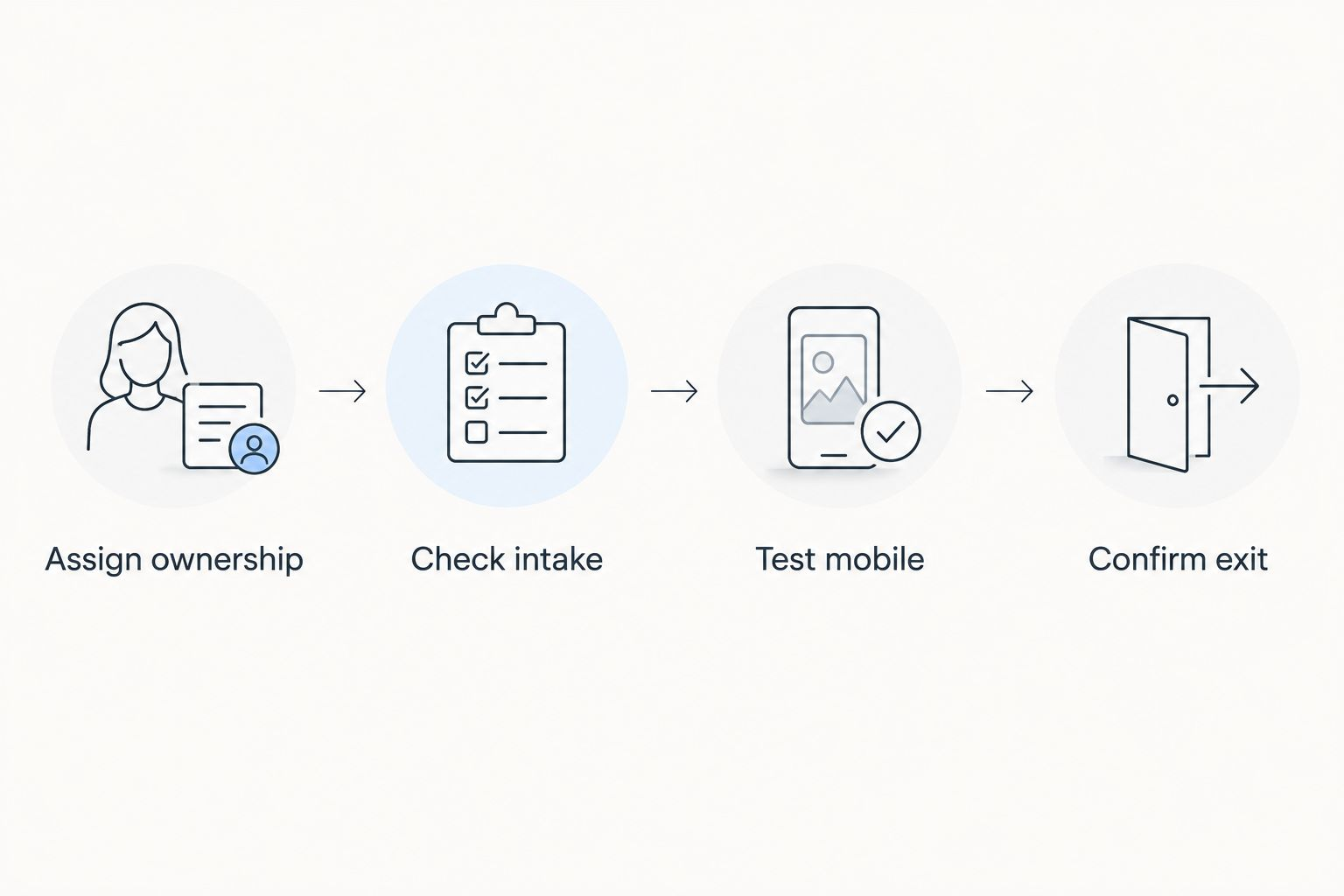
Decision sequence covering website ownership, intake, mobile testing, and exit arrangements — choose the operating model before committing to the website editor.
Your 2026 decision should leave no uncertainty about daily responsibility. Select the option you can operate consistently, not the one with the longest feature menu.
FAQ
What's the best website builder for a contractor who wants everything managed?
Sitesmartly is the managed-service choice in this shortlist for home-service contractors. Its stated offering covers website building and management, industry-specific lead capture, and AI call-answering tools; confirm the scope against your workflow.
Is Wix better than WordPress.org for a contractor website?
Wix is the better fit for straightforward DIY editing, while WordPress.org is the better fit for ownership and customization. WordPress.org also requires someone to manage hosting and maintenance.
Do plumbers need a different website builder from HVAC contractors?
The trade alone does not determine the builder. Choose around the service information, intake questions, and response process your business needs.
Can I build my own contractor website without coding?
Yes, visual builders such as Wix, Squarespace, and GoDaddy Website Builder support website creation without writing code. You still need to create useful content and check the contact process.
Which website option is best for showing completed projects?
Squarespace is the portfolio-led choice in this shortlist. Pair project photographs with descriptions explaining the work rather than relying on images alone.
Will choosing a website builder make my contractor business rank on Google?
No website builder guarantees Google rankings. The platform is only part of the work; useful content, crawlable pages, and accurate business information still matter.
What should I check before choosing a contractor website in 2026?
Check maintenance ownership, lead capture, mobile usability, service-area content, and portability. Test a real inquiry and confirm the person responsible for handling it.
Want a Website Built and Managed for Your Trade?
SiteSmartly builds, launches, and manages your contractor website in 48 hours — with Smart Quote, lead capture chat, and AI call backup included.
$0 setup · No contract · Cancel anytime